

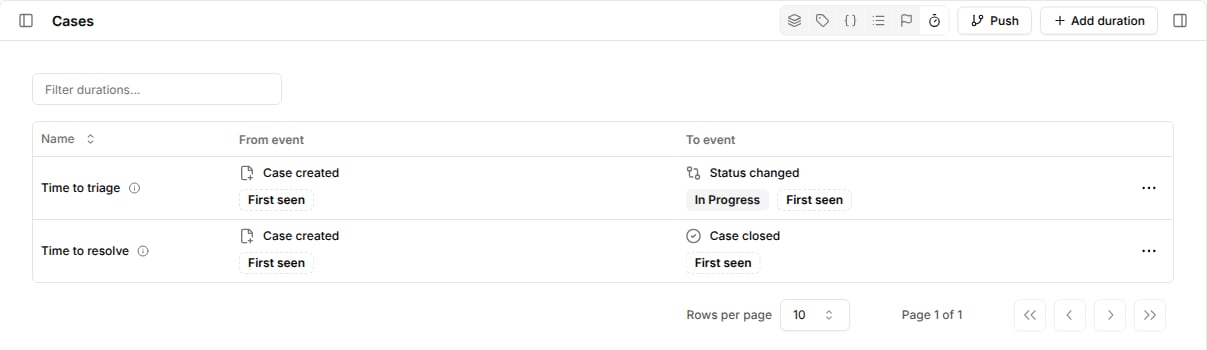
Time to triage from case creation until the status changes to In progress.
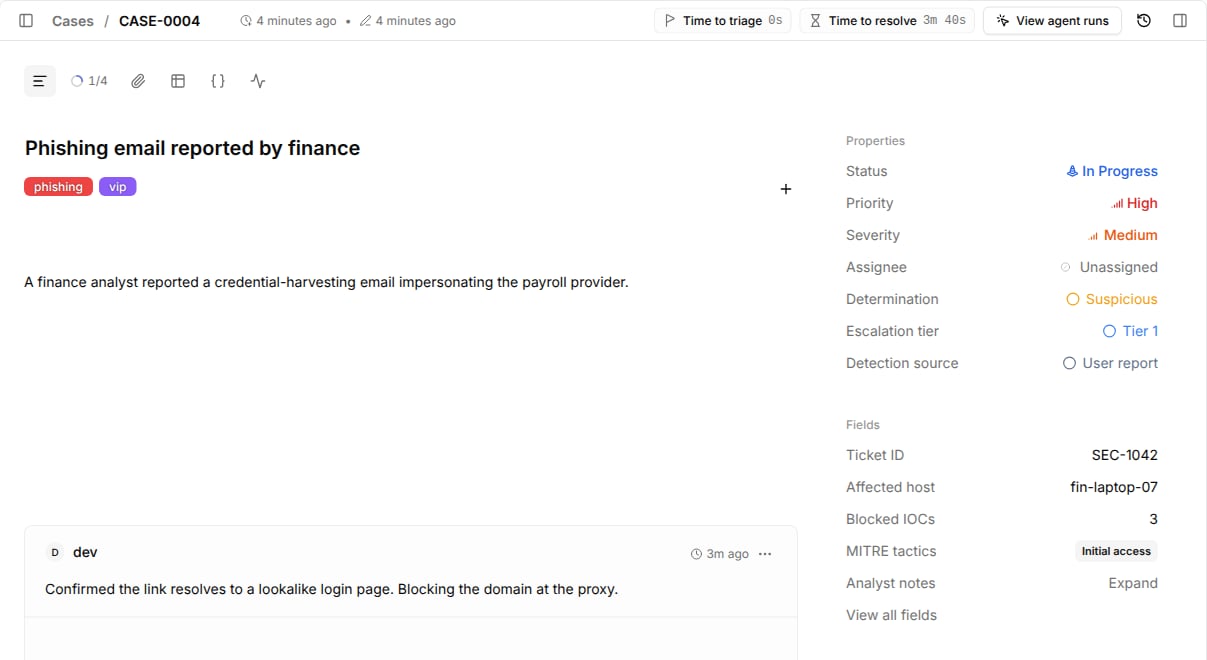
Tracecat calculates every duration on every case and shows it in the case header.
Create a duration
- Go to
Casesand open the durations view from the header toolbar. - Select
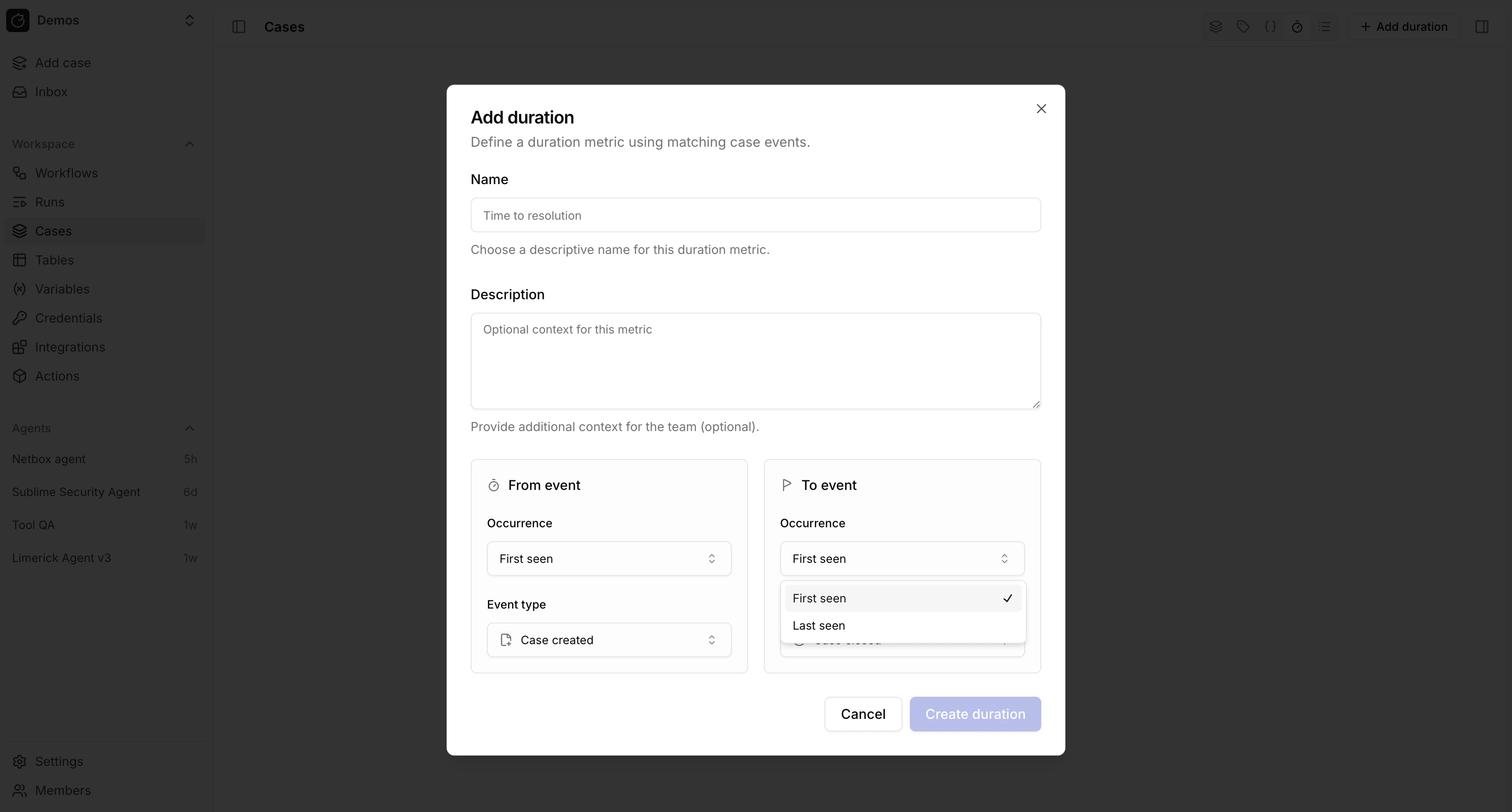
Add duration. - Enter a name and an optional description.
- Configure the
From eventthat starts the clock and theTo eventthat stops it.
Configure events
Each event has an event type, optional filters, and an occurrence.
Occurrence picks which matching event anchors the duration:
First seenuses the earliest matching event. Use it for first-response metrics such as time to triage.Last seenuses the most recent matching event. Use it when an event can repeat, such as time from the last reopen to close.
From event happens and finishes once its To event happens.
Until then, the case header shows the time elapsed so far.
Example durations
Read durations from workflows
Usecore.cases.get_case_metrics to read durations for one or more cases as time-series data for reporting.