

Overview
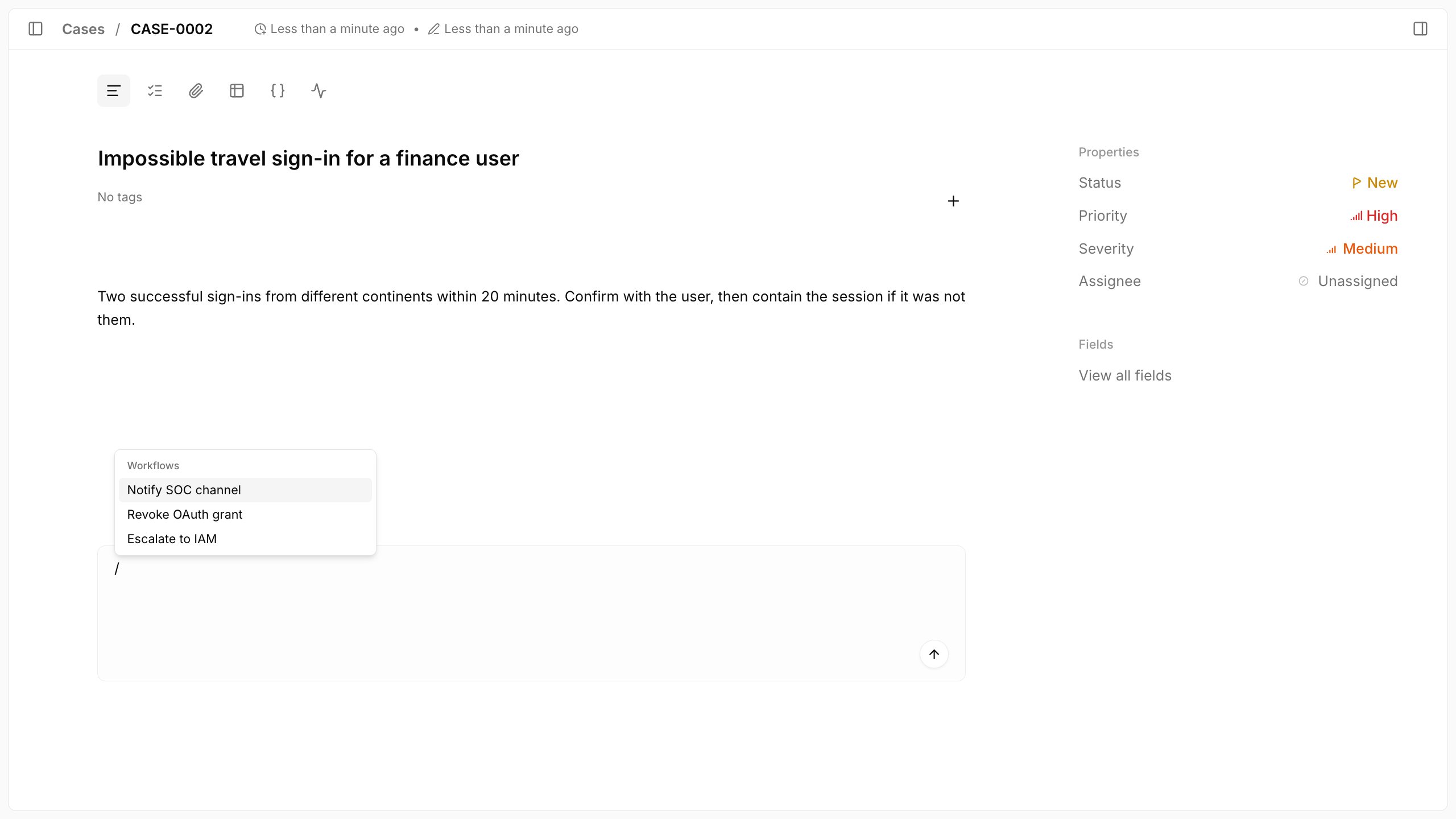
Type/ in a case comment or reply, select the workflow from the autocomplete list, and submit the comment.
Only published workflows appear in the list, so publish a draft before you run it from a comment.
workflow:read to list workflows, workflow:execute to run the workflow, and case:update to create the comment.
Without workflow:read and workflow:execute, / behaves as regular comment text and never starts a workflow.
Without Enterprise, / still opens the list, showing an Enterprise notice in place of workflow titles.
Selecting the autocomplete result attaches the workflow.
Typing a workflow title as plain text does not run it.
A comment runs one workflow; picking a second workflow replaces the first.
Tracecat removes the /Workflow title command from the comment body before it saves the comment, and a comment with only the command saves with an empty body.
Trigger payload
Comment trigger data is available under${{ TRIGGER }}.
Fields:
${{ TRIGGER.case_id }}: case ID.${{ TRIGGER.comment_id }}: comment ID.${{ TRIGGER.parent_id }}: parent comment ID, ornullfor a top-level comment.${{ TRIGGER.thread_root_id }}: ID of the comment that starts the thread.${{ TRIGGER.is_reply }}:truewhen the comment is a reply.${{ TRIGGER.comment }}: comment text.${{ TRIGGER.text }}: comment text, same value ascomment.${{ TRIGGER.workspace_id }}: workspace ID.${{ TRIGGER.triggered_by }}: actor details.${{ TRIGGER.event }}: event details.${{ TRIGGER.tags }}: case tags.
Related pages
- See Agent mentions to invoke a preset agent from a comment with
@instead of running a workflow.