

Overview
An external secret store lets a workspace secret point at a value that stays in AWS Secrets Manager. Tracecat stores only the reference: the store, the secret name or ARN, and the key mapping. Workflows read${{ SECRETS.<name>.<key> }} exactly as
they do for local secrets.
Organization admins own stores under Organization settings, and authorize the
workspaces that may reference each one. Workspace members then create AWS-backed
secrets against an authorized store.
Trust model
Tracecat assumes a role you own in your AWS account:- Tracecat calls
sts:AssumeRoleon the role ARN you register, using its own workload identity and an external ID that Tracecat generates when you create the store. The external ID is server-owned and never changes. - The assumed session reads the
AWSCURRENTversion of the secret withsecretsmanager:GetSecretValue. Tracecat requests no list, write, delete, or rotation permissions. - Tracecat persists no remote value. Each resolution fetches from AWS, injects the value into the action sandbox, and discards it. Nothing is cached between runs.
- Failures are sanitized. Error messages carry a failure code and the AWS error code, never any part of the secret value.
Prerequisites
Your Tracecat deployment must expose the AWS principal that assumes your role. The operator sets both variables on every Tracecat service:
On self-hosted deployments, set them in your
.env and restart the stack; the
Docker Compose files already pass them through.
Until they are set, the trust policy shows a <tracecat-principal-arn>
placeholder instead of the Tracecat principal.
The Tracecat workload also needs sts:AssumeRole permission on the role ARNs it
will assume.
Create the IAM role
Create one role per store in the AWS account that holds your secrets.1
Create the store in Tracecat first
Tracecat generates the external ID when the store is created, so
add the store before you write the trust policy. You enter the
role ARN after you create the role.
2
Attach the trust policy
Select the store name to expand it, then copy the The
Trust policy tab. It names
the Tracecat principal and conditions the assumption on your store’s external ID:sts:ExternalId condition is what prevents a confused deputy. Keep it.3
Attach the permissions policy
Scope The
secretsmanager:GetSecretValue to the exact secrets you intend to share.
The Permissions policy tab shows a wildcard starting point; narrow the
Resource list before you use it in production:kms:Decrypt statement is required only for secrets encrypted with a
customer-managed KMS key. Scope its Resource to that key ARN when you use one.Add a store
Go to Organization settings → Secret stores, selectAdd store, and choose
AWS Secrets Manager. You need the org:secret:create scope.
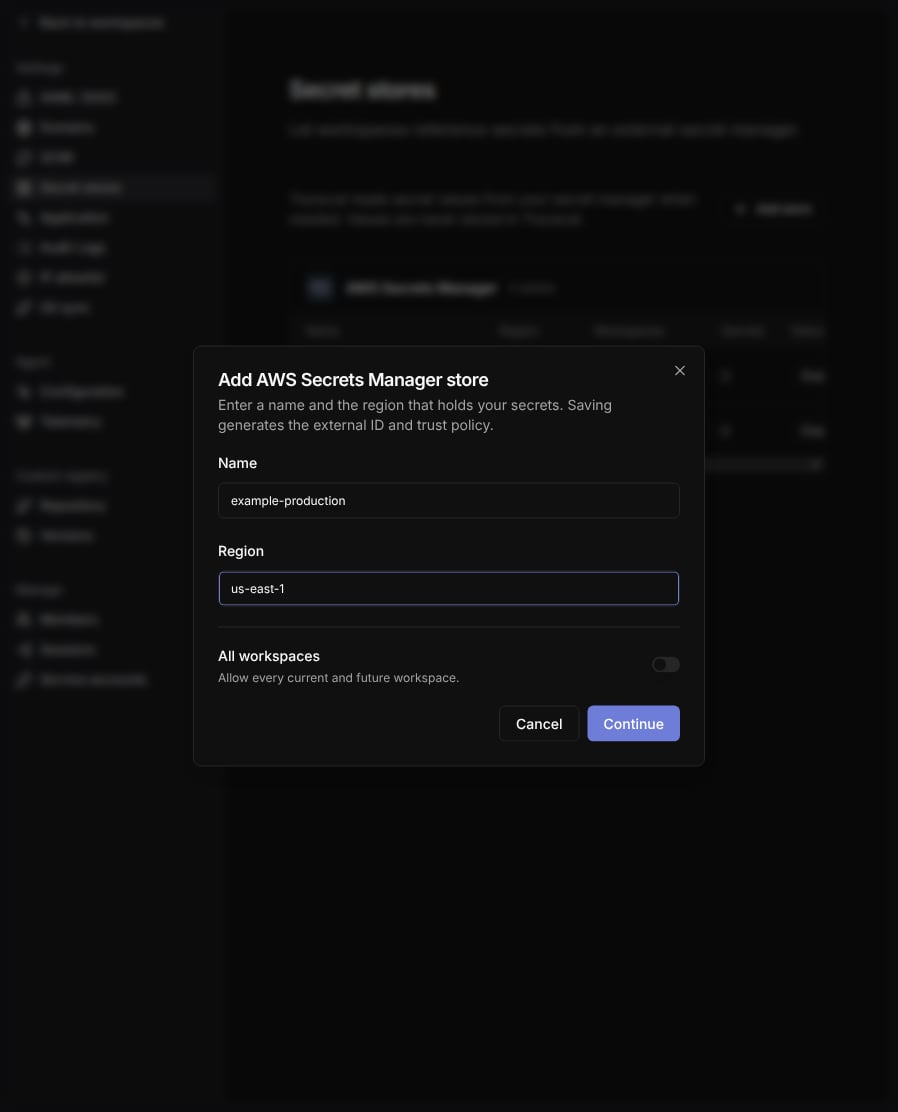
Continue. Tracecat saves the store disabled and shows its trust policy
and permissions policy. Create the IAM role with those
policies, enter the role ARN, such as
arn:aws:iam::123456789012:role/tracecat-secrets-reader, and select
Save and enable. Entering the role ARN and enabling the store needs the
org:secret:update scope.
To finish later, select Finish later. The store shows Setup incomplete, and
its actions menu offers Finish setup, until you save the role ARN. You can enable a store only
after you save its role ARN. After setup, open the store’s actions menu and
choose Disable store to block resolution for every reference at once.
To show the external ID and policies again, select the store name to expand it.
A store reads secrets in one region only. Create a second store for a second region.
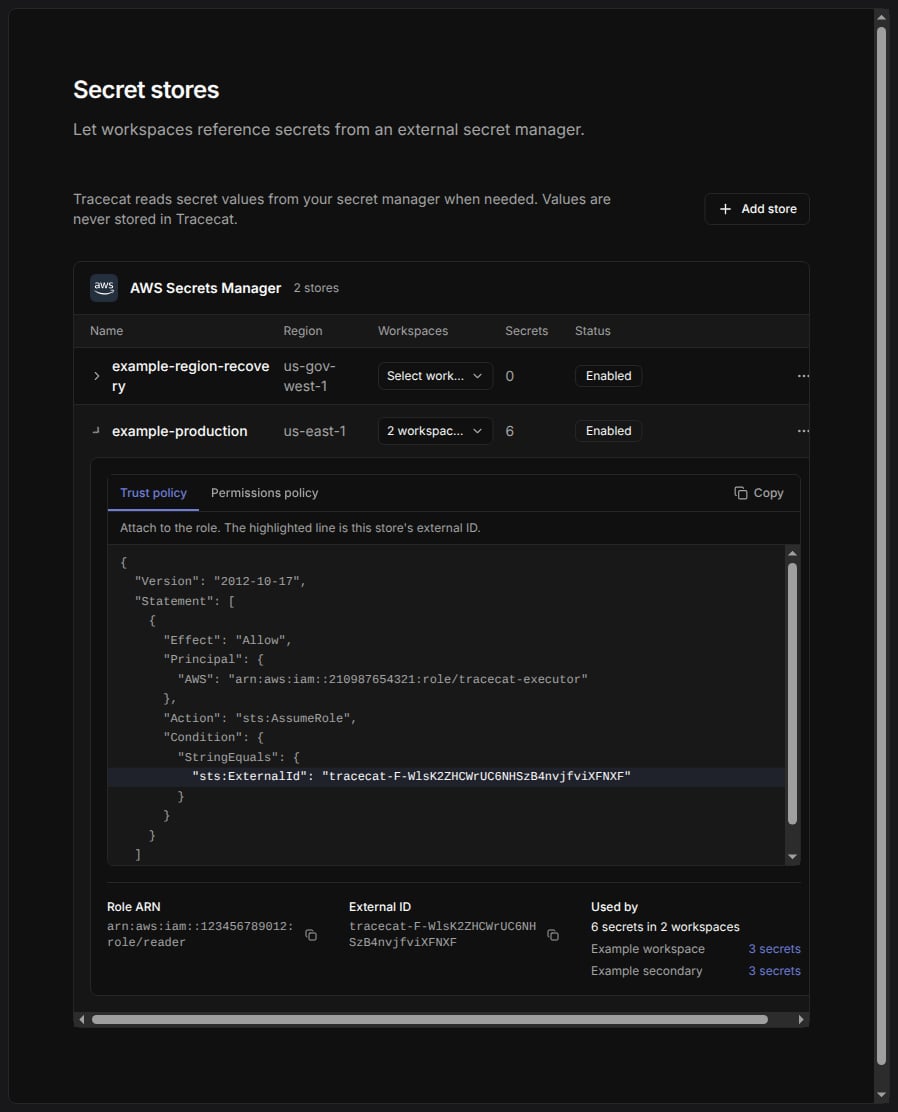
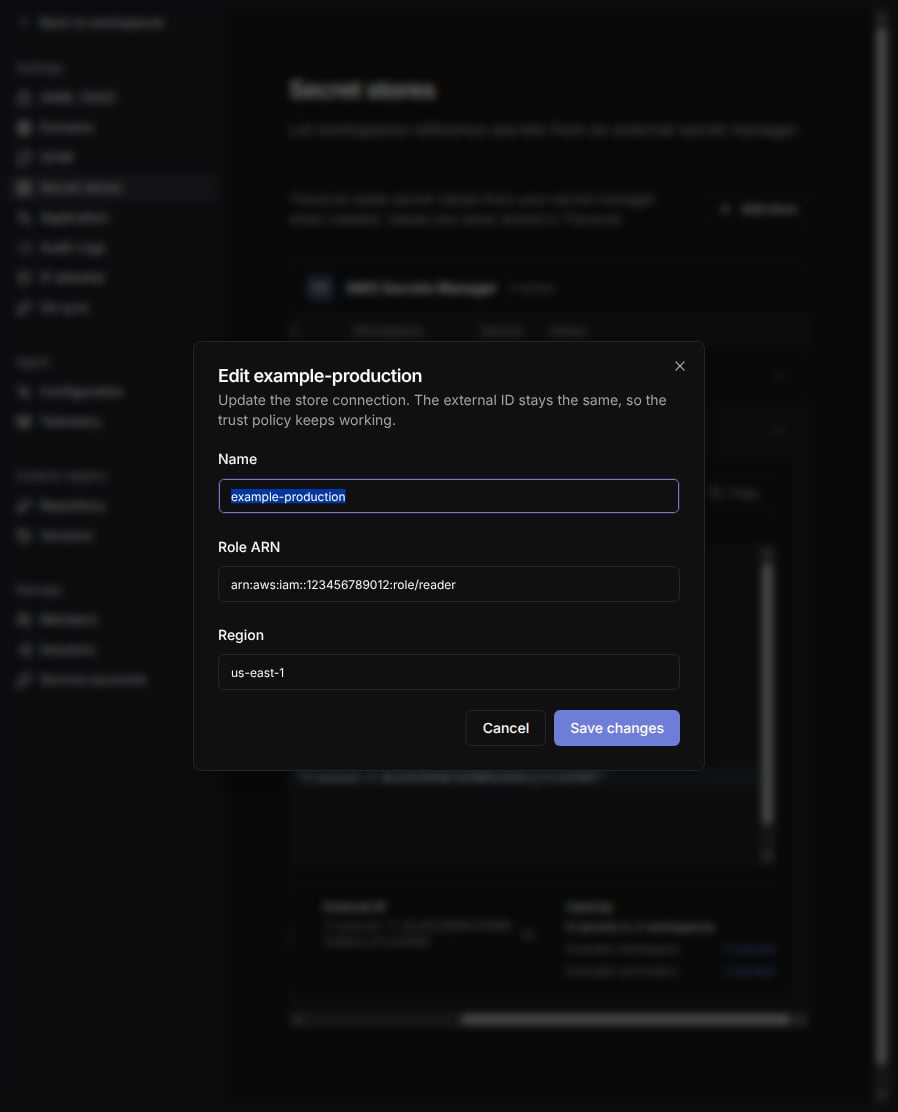
Edit store. This works during setup too, for example to fix the region before
you enter a role ARN. The external ID stays the same for the life of the store.
Authorize workspaces
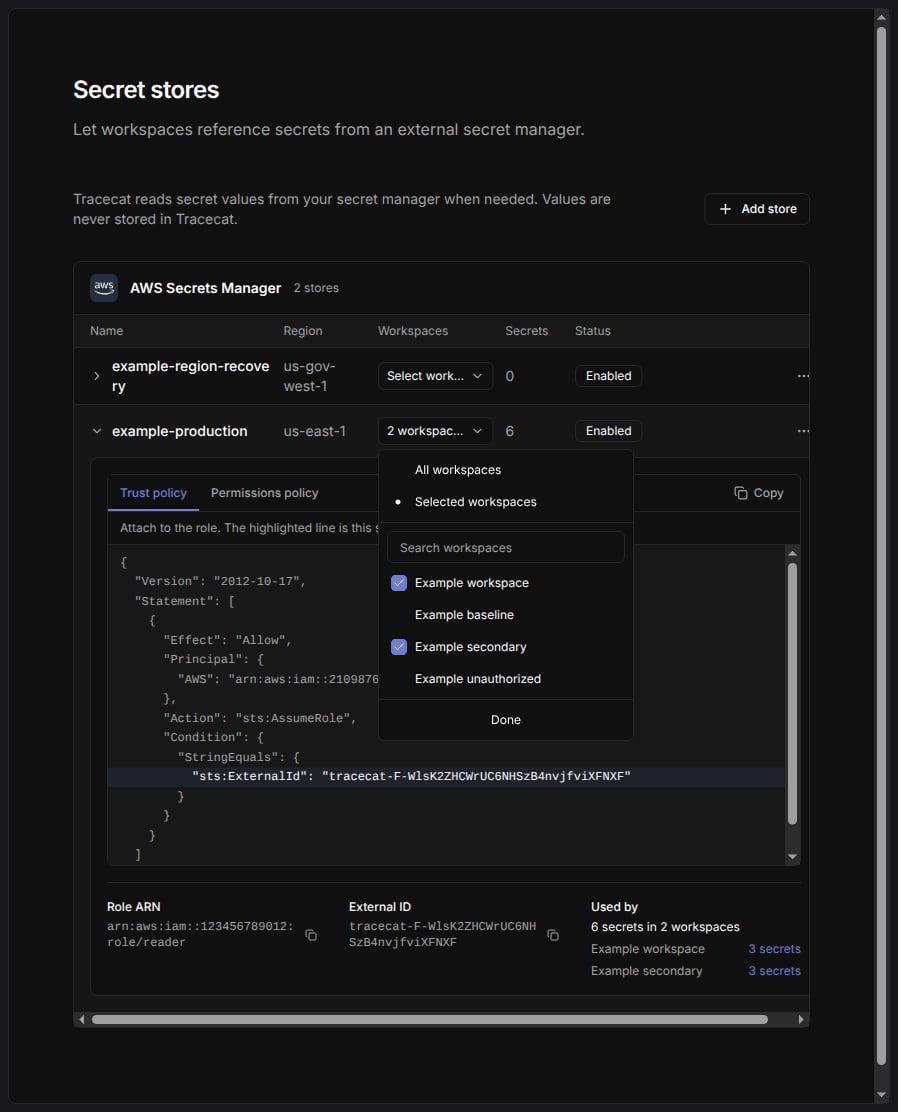
Open theWorkspaces picker on the store row. Choose All workspaces
to allow every current and future workspace in your organization. Choose
Selected workspaces to manage access using individual workspace checkboxes.
Switching to Selected workspaces preserves individual authorizations and access for
workspaces that already reference the store. Remove those references before
unchecking a workspace. To stop secret resolution everywhere, choose
Disable store in the store’s actions menu.
Workspace users see the store’s name, description, provider, region, and enabled
flag, never its external ID or role ARN.
Create an AWS-backed secret
In the workspace, open/credentials, select Add credential, and change
Secret source from Tracecat to an AWS store. The picker lists only enabled
stores authorized for this workspace.
A friendly name is looked up in the store’s region. A full ARN must be in the
store’s region; Tracecat rejects the reference at save time otherwise.
AWS-backed secrets are always the
custom type, and they never accept key values.
To change one, edit its reference or key mapping.
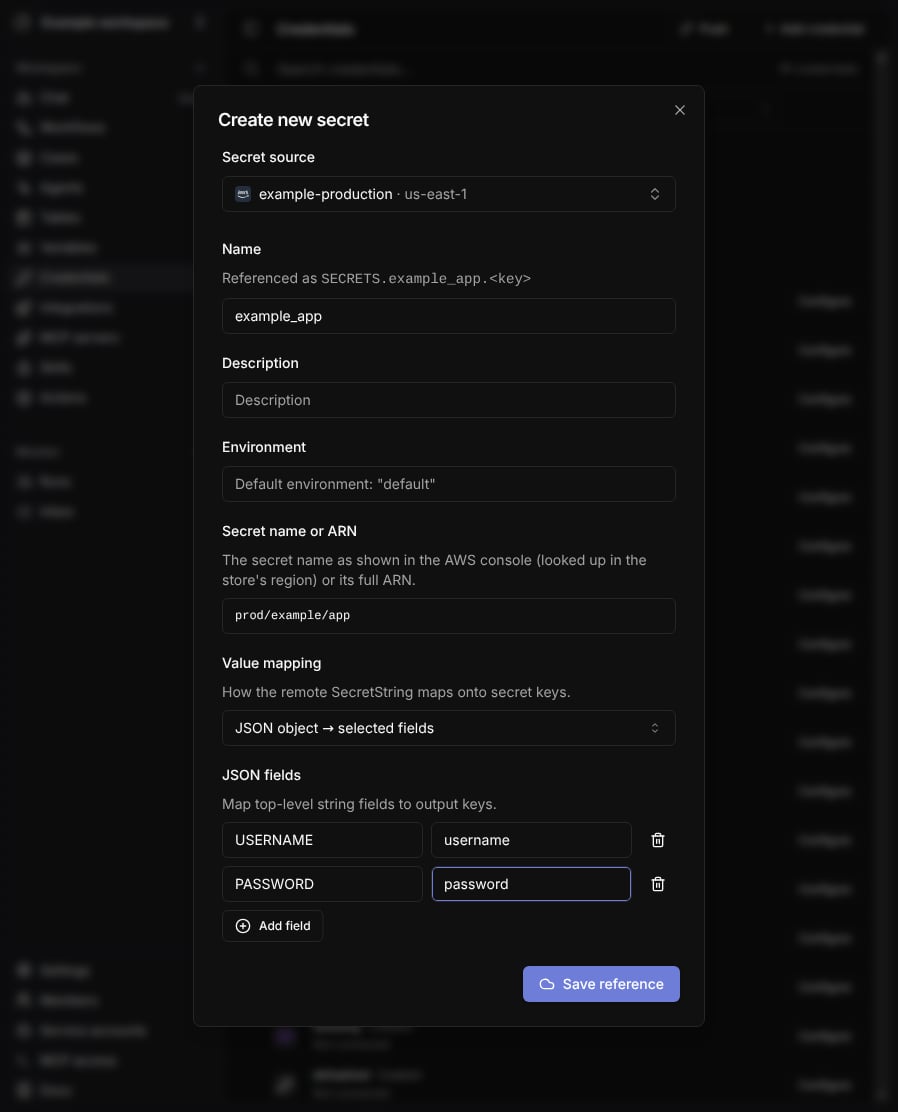
Value mapping
Whole string → one key binds the entire SecretString to exactly one key:
JSON object → selected fields parses the SecretString as a JSON object and
maps selected top-level fields onto keys you name. The field must exist and its
value must be a string:
port would fail with non_string_field because its value is a number.
Output keys must be unique, and a mapping declares at most 100 keys or fields.
Verify a reference
UseEdit on an AWS-backed credential to change its store, secret name or ARN,
and key mapping without deleting the credential.
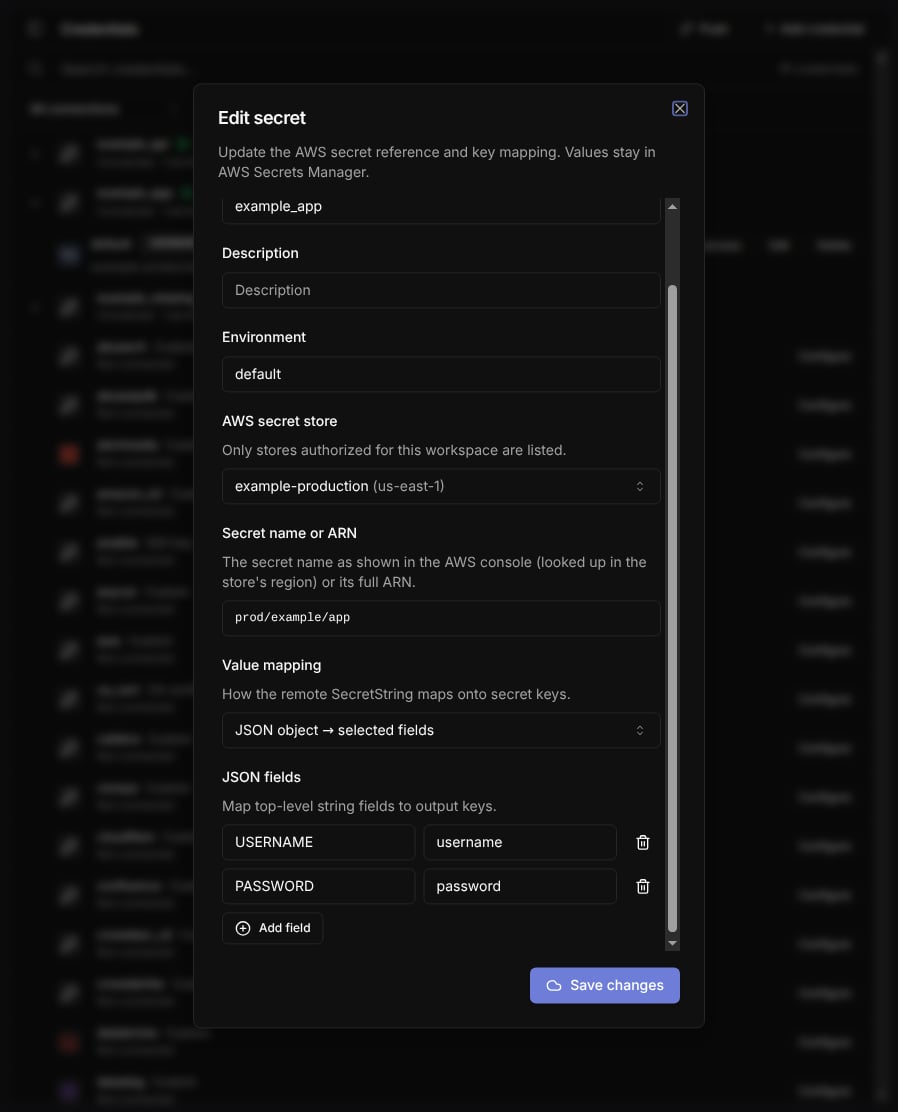
Check access resolves the reference server-side. The button then shows
Reachable, with the resolved key names on hover, or a failure such as
Access denied with the fix below the credential. The check never returns the
remote value to the browser.
Run a check after you create a reference, after you change an IAM policy, and
after you move a secret between accounts or regions.
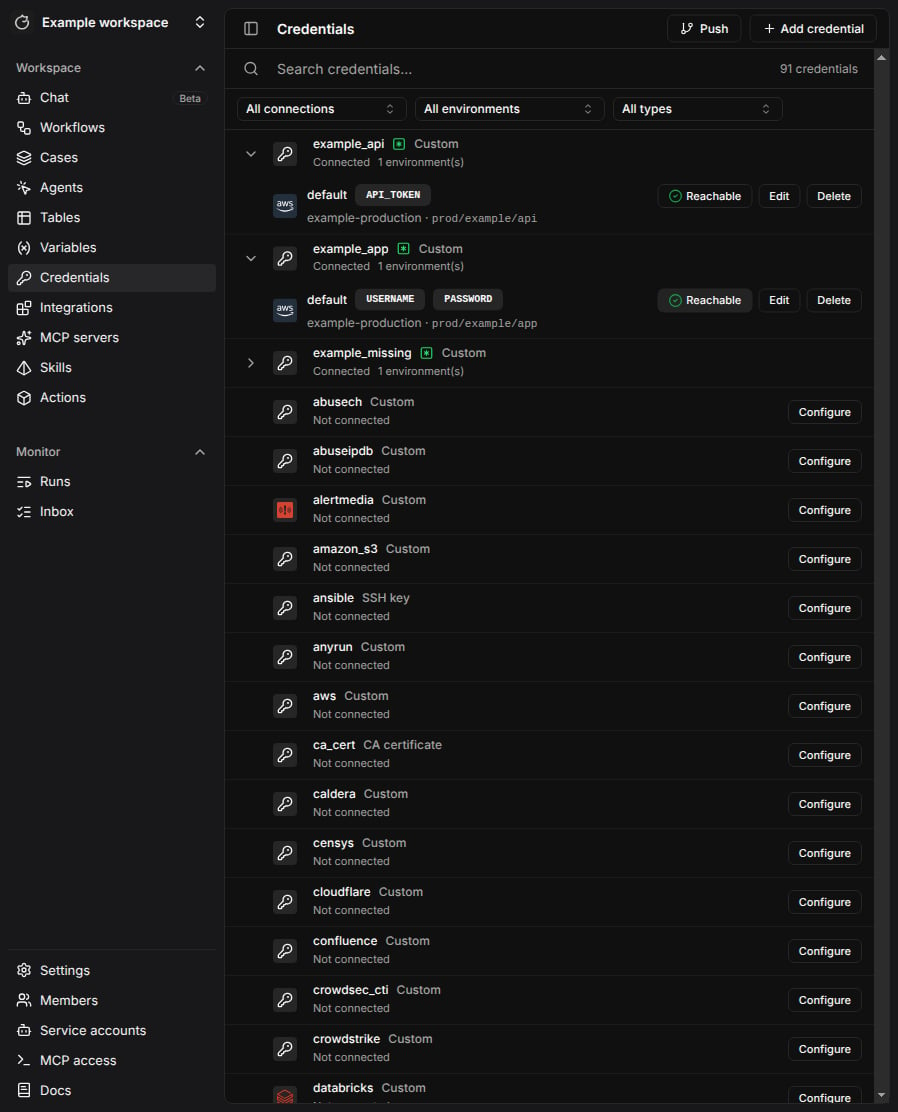
Runtime behavior
When an action requests an AWS-backed secret, Tracecat loads the reference rows, closes the database session, then resolves every reference in parallel. Reads are deduplicated per store and remote reference within one resolution, so a secret mapped onto two aliases costs oneGetSecretValue call.
A configured AWS-backed secret fails loudly even when the action declares it
optional: a missing store grant or an unreadable remote secret raises rather than
silently skipping the credential. The error names the secret and environment, and
carries the resolution error code.
Connection attempts time out after 5 seconds, reads after 10 seconds, and the AWS
SDK retries up to 3 times.
Lifecycle rules
- You cannot delete a store while any workspace secret references it. Delete the
references first; until then,
Delete storeis disabled and the actions menu shows the reference count. - You cannot revoke a workspace authorization while that workspace still holds secrets referencing the store. Delete those secrets first.
- Disabling a store fails every resolution with
store_disabledwhile keeping the references intact. Use it to cut access without deleting configuration. - Git sync pushes the store name, secret name or ARN, and key mapping, never values. Pulling into another workspace recreates the reference on the enabled, authorized store with the same name. If there is none, or its region doesn’t match the ARN, the pull preview asks you to choose a store for that name, which applies to every secret using it. Secrets you leave unlinked fail in workflows until you choose a store with Edit.
- Deleting an organization deletes its stores and authorizations.
- Deleting a workspace deletes its store authorizations.
Troubleshooting
Resolution failures surface one of these codes in the action error.Check access
shows the matching label and fix:
Limits
- AWS Secrets Manager is the only supported provider.
- One store reads one region.
- Tracecat reads the
AWSCURRENTversion stage only. Staged and previous versions are not addressable. - A key mapping declares at most 100 output keys.
- Rotating a secret in AWS needs no change in Tracecat: the next resolution reads
the new
AWSCURRENTvalue. Agent LLM requests can keep using the previous value for up to 60 seconds. - The LiteLLM service resolves AWS-backed agent LLM credentials with its own AWS
principal. When that principal differs from the one in your trust policy, as on
the Fargate deployment, those requests fail with
assume_role_failed. Store agent LLM credentials as local secrets on those deployments.
Related pages
- See Secrets for local secrets, secret types, environments, and expression syntax.
- See Environment variables for where the operator sets the AWS AssumeRole variables on a self-hosted deployment.
- See RBAC for the
org:secret:*scopes that gate store management.